# Select Field
Source: https://payloadcms.com/docs/fields/select
The Select Field provides a dropdown-style interface for choosing options from a predefined list as an enumeration.
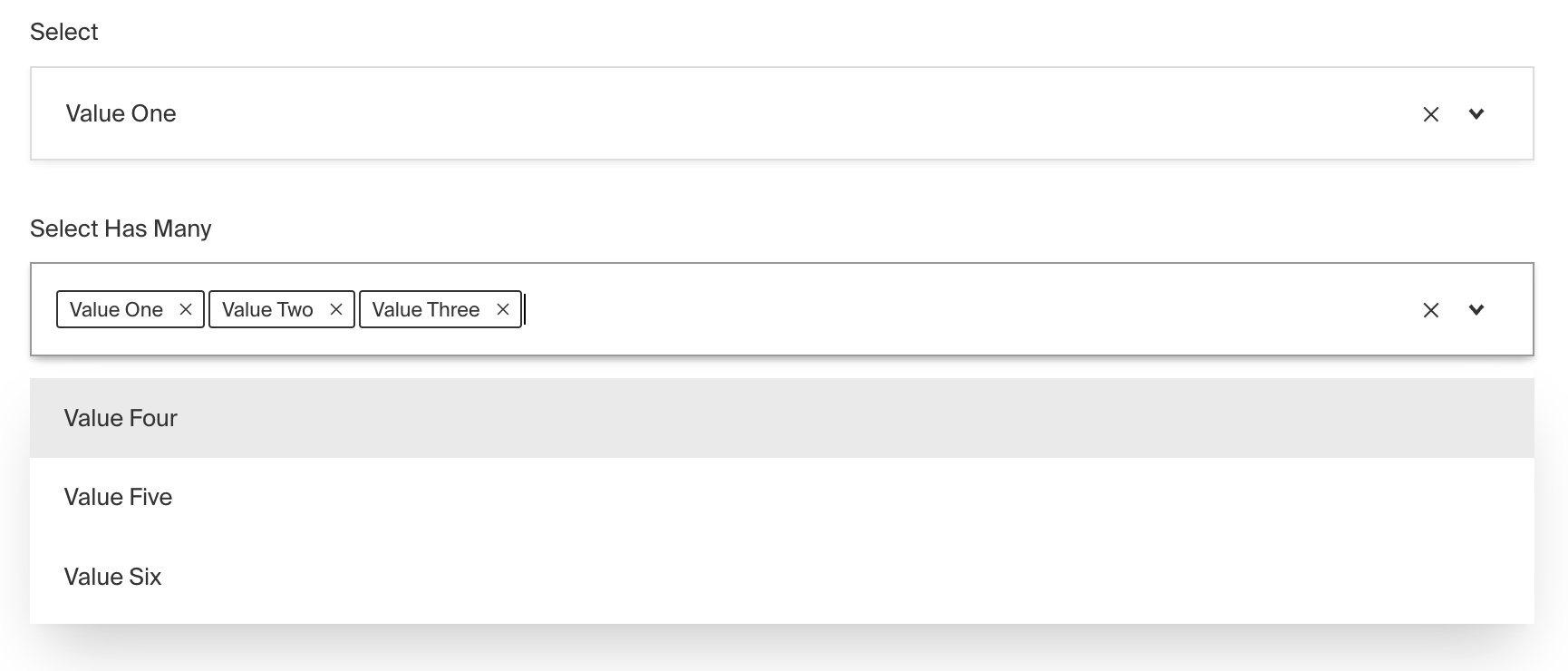
_Admin Panel screenshot of a Select field_
To add a Select Field, set the `type` to `select` in your [Field Config](/docs/v3/fields/overview.md):
```ts
import type { Field } from 'payload'
export const MySelectField: Field = {
// ...
// highlight-start
type: 'select',
options: [
// ...
],
// highlight-end
}
```
## Config Options
| Option | Description |
| ---------------------- | ------------------------------------------------------------------------------------------------------------------------------------------------------------------------------------------------------------------------------------------------------------------------------------------------------- |
| **`name`** \* | To be used as the property name when stored and retrieved from the database. [More details](/docs/v3/fields/overview.md#field-names). |
| **`options`** \* | Array of options to allow the field to store. Can either be an array of strings, or an array of objects containing a `label` string and a `value` string. |
| **`hasMany`** | Boolean when, if set to `true`, allows this field to have many selections instead of only one. |
| **`label`** | Text used as a field label in the Admin Panel or an object with keys for each language. |
| **`unique`** | Enforce that each entry in the Collection has a unique value for this field. This creates a database-level unique index on the field's path. [More details](/docs/v3/database/indexes.md#unique-fields). |
| **`validate`** | Provide a custom validation function that will be executed on both the Admin Panel and the backend. [More details](/docs/v3/fields/overview.md#validation). |
| **`index`** | Build an [index](/docs/v3/database/indexes.md) for this field to produce faster queries. Set this field to `true` if your users will perform queries on this field's data often. |
| **`saveToJWT`** | If this field is top-level and nested in a config supporting [Authentication](/docs/v3/authentication/overview.md), include its data in the user JWT. |
| **`hooks`** | Provide Field Hooks to control logic for this field. [More details](/docs/v3/hooks/fields.md). |
| **`access`** | Provide Field Access Control to denote what users can see and do with this field's data. [More details](/docs/v3/access-control/fields.md). |
| **`hidden`** | Restrict this field's visibility from all APIs entirely. Will still be saved to the database, but will not appear in any API or the Admin Panel. |
| **`defaultValue`** | Provide data to be used for this field's default value. [More details](/docs/v3/fields/overview.md#default-values). |
| **`localized`** | Enable localization for this field. Requires [localization to be enabled](/docs/v3/configuration/localization.md) in the Base config. |
| **`required`** | Require this field to have a value. |
| **`admin`** | Admin-specific configuration. See the [default field admin config](/docs/v3/fields/overview.md#admin-options) for more details. |
| **`custom`** | Extension point for adding custom data (e.g. for plugins) |
| **`enumName`** | Custom enum name for this field when using SQL Database Adapter ([Postgres](/docs/v3/database/postgres.md)). Auto-generated from name if not defined. |
| **`dbName`** | Custom table name (if `hasMany` set to `true`) for this field when using SQL Database Adapter ([Postgres](/docs/v3/database/postgres.md)). Auto-generated from name if not defined. |
| **`interfaceName`** | Create a top level, reusable [Typescript interface](/docs/v3/typescript/generating-types.md#custom-field-interfaces) & [GraphQL type](/docs/v3/graphql/graphql-schema.md#custom-field-schemas). |
| **`filterOptions`** | Dynamically filter which options are available based on the user, data, etc. [More details](#filteroptions) |
| **`typescriptSchema`** | Override field type generation with providing a JSON schema |
| **`virtual`** | Provide `true` to disable field in the database, or provide a string path to [link the field with a relationship](/docs/v3/fields/relationship.md#linking-virtual-fields-with-relationships). See [Virtual Fields](https://payloadcms.com/blog/learn-how-virtual-fields-can-help-solve-common-cms-challenges) |
_\* An asterisk denotes that a property is required._
> **Important:** Option values should be strings that do not contain hyphens or
> special characters due to GraphQL enumeration naming constraints. Underscores
> are allowed. If you determine you need your option values to be non-strings or
> contain special characters, they will be formatted accordingly before being
> used as a GraphQL enum.
### filterOptions
Used to dynamically filter which options are available based on the current user, document data, or other criteria.
Some examples of this might include:
- Restricting options based on a user's role, e.g. admin-only options
- Displaying different options based on the value of another field, e.g. a city/state selector
The result of `filterOptions` will determine:
- Which options are displayed in the Admin Panel
- Which options can be saved to the database
To do this, use the `filterOptions` property in your [Field Config](/docs/v3/fields/overview.md):
```ts
import type { Field } from 'payload'
export const MySelectField: Field = {
// ...
// highlight-start
type: 'select',
options: [
{
label: 'One',
value: 'one',
},
{
label: 'Two',
value: 'two',
},
{
label: 'Three',
value: 'three',
},
],
filterOptions: ({ options, data }) =>
data.disallowOption1
? options.filter(
(option) =>
(typeof option === 'string' ? options : option.value) !== 'one',
)
: options,
// highlight-end
}
```
> **Note:** This property is similar to `filterOptions` in
> [Relationship](/docs/v3/fields/relationship.md) or [Upload](/docs/v3/fields/upload.md) fields, except that the
> return value of this function is simply an array of options, not a query
> constraint.
## Admin Options
To customize the appearance and behavior of the Select Field in the [Admin Panel](/docs/v3/admin/overview.md), you can use the `admin` option:
```ts
import type { Field } from 'payload'
export const MySelectField: Field = {
// ...
admin: {
// highlight-line
// ...
},
}
```
The Select Field inherits all of the default admin options from the base [Field Admin Config](/docs/v3/fields/overview.md#admin-options), plus the following additional options:
| Property | Description |
| ----------------- | ------------------------------------------------------------------------------------------------------------------------------------------- |
| **`isClearable`** | Set to `true` if you'd like this field to be clearable within the Admin UI. |
| **`isSortable`** | Set to `true` if you'd like this field to be sortable within the Admin UI using drag and drop. (Only works when `hasMany` is set to `true`) |
| **`placeholder`** | Define a custom text or function to replace the generic default placeholder |
## Example
```ts
import type { CollectionConfig } from 'payload'
export const ExampleCollection: CollectionConfig = {
slug: 'example-collection',
fields: [
{
name: 'selectedFeatures', // required
type: 'select', // required
hasMany: true,
admin: {
isClearable: true,
isSortable: true, // use mouse to drag and drop different values, and sort them according to your choice
},
options: [
{
label: 'Metallic Paint',
value: 'metallic_paint',
},
{
label: 'Alloy Wheels',
value: 'alloy_wheels',
},
{
label: 'Carbon Fiber Dashboard',
value: 'carbon_fiber_dashboard',
},
],
},
],
}
```
## Custom Components
### Field
#### Server Component
```tsx
import type { SelectFieldServerComponent } from 'payload'
import type React from 'react'
import { SelectField } from '@payloadcms/ui'
export const CustomSelectFieldServer: SelectFieldServerComponent = ({
clientField,
path,
schemaPath,
permissions,
}) => {
return (
)
}
```
#### Client Component
```tsx
'use client'
import type { SelectFieldClientComponent } from 'payload'
import { SelectField } from '@payloadcms/ui'
import React from 'react'
export const CustomSelectFieldClient: SelectFieldClientComponent = (props) => {
return
}
```
### Label
#### Server Component
```tsx
import React from 'react'
import { FieldLabel } from '@payloadcms/ui'
import type { SelectFieldLabelServerComponent } from 'payload'
export const CustomSelectFieldLabelServer: SelectFieldLabelServerComponent = ({
clientField,
path,
}) => {
return (
)
}
```
#### Client Component
```tsx
'use client'
import React from 'react'
import { FieldLabel } from '@payloadcms/ui'
import type { SelectFieldLabelClientComponent } from 'payload'
export const CustomSelectFieldLabelClient: SelectFieldLabelClientComponent = ({
field,
path,
}) => {
return (
)
}
```